Atrium
Custom Elements
Custom elements are the foundation of Atrium's element layer. Understanding their strengths and limitations helps you use them effectively.
How Elements Work
Elements are built as unstyled custom elements using Lit. This makes them framework agnostic—reuse them with Vue, React, Astro, or vanilla JS.
Since they're defined by just an HTML tag, you're forced to think simply: props (attributes) are just strings. This constraint enables maximum compatibility with any way HTML is used.
The lower-level API of custom elements, compared to frameworks, also gives you better performance when used correctly.
Limitations
Use custom elements for what they're good at.
Key constraints to keep in mind:
- Custom elements work best when completely self-contained
- They should not affect elements around them
- Avoid creating DOM elements in custom elements to prevent layout shifts
- When fully client-side rendered, most of these limitations become irrelevant
Further reading:
Server Side Rendering
Unless specific plugins for Lit SSR are used, Elements are not fully server-side rendered. The custom element tags will exist in the markup (like <a-track/>), but the shadow root markup is only generated on the client.
This does not apply to the children of the Element — those are still rendered by your framework. Only the presentation of those children may vary from server to final hydrated client.
Common Issues
Layout shifts with hydration
When elements or their children that should be hidden are visible before hydration, use CSS to hide them:
:not(:defined) {
  opacity: 0;
}

/* Or hide children completely */
:not(:defined) * {
  display: none;
}
CustomElementRegistry conflicts
Error: Failed to execute 'define' on 'CustomElementRegistry': the name "..." has already been used with this registry
Cause: Two versions of the same element are being imported.
Solution: Check your bundler configuration to ensure elements are only included once. This commonly happens when:
- Multiple packages depend on different versions of
@atrium-ui/elements - Elements are imported from both a component and directly
Browser Support
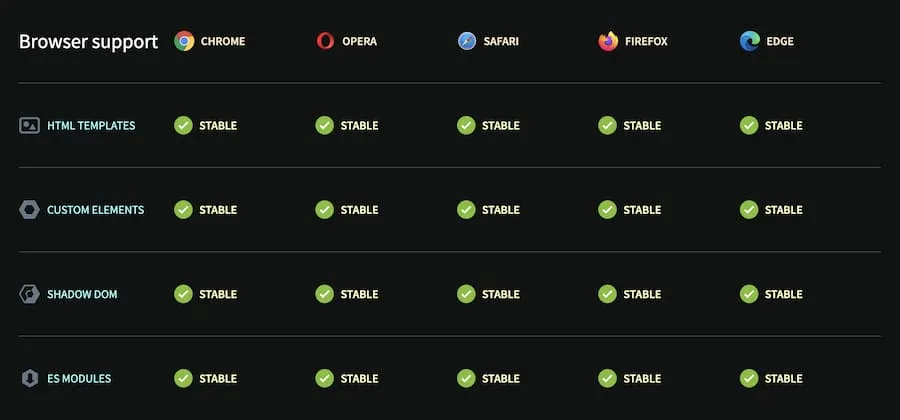
Can I use shows support for Web Components exists in major browsers since around 2018.